
A Small Thank You: Military & First Responder Discounts
Simply Michigan Infotainment proudly offers special savings to active and retired military members and first responders. Learn who qualifies and how to request your discount code safely.

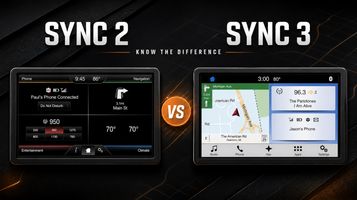
Believe it or not, one of the questions I hear most often in my e-mail is “Which sync system do I have?” or "Is my vehicle compatible?"
Ford has used several different infotainment systems over the years and model year alone doesn’t always give you a definite answer. Luckily, Sync 2 and Sync 3 look very different once you know what to look for.
Identifying Sync 2
Sync 2 was commonly referred to as MyFord Touch or MyLincoln Touch, not so much anymore. The system is an 8 inch touchscreen with a home screen divided into four color coded sections
Phone
Navigation or Information
Entertainment
Climate
If your home screen has four large sections extending from the corners, you most likely have Sync 2. It was a major improvement when it was introduced, but it does not support Apple CarPlay or Android Auto. Its older hardware can also feel slow compared with newer systems.
Identifying Sync 3
Sync 3 has a cleaner, more modern appearance. Instead of the four-corner layout, its main features are arranged in a bar across the bottom of the screen.
Depending on your vehicle and its equipment, you may see options such as Audio, Climate, Phone, Navigation, Apps and Settings.
Sync 3 is generally faster and more responsive than Sync 2. When equipped with the correct USB hub and software, it also supports Apple CarPlay and Android Auto.
The exact colors and icons may change depending on the installed software version (3.0 vs 3.4, for example), but the feature bar along the bottom is usually the easiest way to identify it.
What if I Have a Smaller Screen?
If your vehicle has a smaller 4 inch display, you likely have a different version of Sync rather than Sync 2 or Sync 3.
Many Ford vehicles with a 4 inch system can still be converted to an 8 inch Sync 3 system. These conversions require additional vehicle specific parts, so it is important to verify compatibility before ordering.
Can Sync 2 Be Updated to Sync 3?
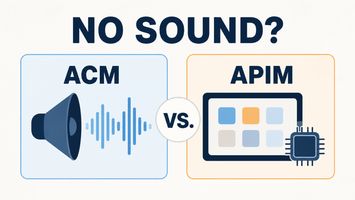
Unfortunately you can't update your Sync 2 system to Sync 3 through a software update. They use completely different hardware, so the touchscreen and APIM (the module that operates the infotainment system) must be replaced. Sync 3 systems use capacitive touch displays while the older Sync 2 system uses resistive touch; this helps make the system feel so much more responsive.
A complete conversion will normally include:
✓ Sync 3 APIM and Screen
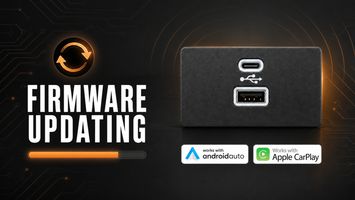
✓ Compatible Apple CarPlay and Android Auto USB hub
✓ Replacement GPS antenna
✓ USB hub conversion harness
✓ Custom vehicle specific programming
Programming is especially important. The APIM stores information related to features such as your backup camera, steering wheel controls, climate controls, heated or cooled seats and factory audio system. Installing a module that was programmed for a different vehicle can result in missing features, incorrect menus or other problems.
Is Upgrading Worth It?
For most owners, upgrading from Sync 2 to Sync 3 makes the vehicle feel much newer without going aftermarket and to still get that authentic OEM feel.
You gain a faster interface, improved touchscreen response and access to Apple CarPlay and Android Auto, which is usually the reason why most people upgrade. When the correct hardware is installed and properly programmed, your existing vehicle features continue working just as they should.
If you’re interested in upgrading, our complete Sync 2 to Sync 3 Upgrade Guide covers compatible vehicles, included parts, installation, pricing and available options.
Still not sure which system you have? Send us a photo of your current screen, and we’ll be happy to help you identify it.